The best tool completes a useful job and is something your team can maintain. If your process already lives inside one application, try its native automation first. To connect several applications without coding, start by comparing Make and Zapier. If you need technical control, compare n8n, Activepieces and Apps Script. In a Microsoft environment, include Power Automate.
This guide helps you choose a starting point and decide when paying makes sense. Scan the comparison, jump to your situation and save the final infographic.
Reviewed: October 18, 2026. Prices retain their original currencies. A monthly equivalent billed annually requires payment for the annual period; it does not mean you can buy one month at that rate. Taxes, connected services, external AI and implementation can add costs.

Choose by the work you need to take off your plate
Open the detailed decision table
| Your situation | First option we would try | Check before paying |
|---|---|---|
| You copy requests between applications and need different routes | Make | Actual credit use and error handling |
| You want to connect two tools in a few steps | Zapier | The connector’s exact action and whether it needs a paid plan |
| You need APIs, custom logic and someone responsible for the technology | n8n | Operating costs, logs and recovery |
| You want a visual builder and are considering self-hosting | Activepieces | Connector coverage and differences between editions |
| The work already happens in Microsoft | Power Automate | Existing licenses, connectors and attended or unattended execution |
| Your operation revolves around records and statuses | Airtable | Run limits and the cost of users with billable access |
| Your team uses Sheets, Docs and Gmail and can maintain code | Apps Script | Quotas, trigger ownership and maintenance |
The order reflects different situations. It is not a speed ranking or an award for the tool with the most features.
How we selected the tools
We reviewed official product pages, pricing and documentation. The selection combines visual connectors, native automation and options that involve code. We have not run a comparative performance test of the seven products. The recommendations are editorial judgments based on their documented fit; the examples below are proposed workflows.
We used five questions: does it solve a repeated task? Can you check the result? What happens to costs as usage grows? Who handles a failure? Can you change solutions without rebuilding the entire operation?
You do not need to automate an occasional task that a template already handles well. It also makes little sense to accelerate a process that changes every week. If you cannot explain the input, output and main exception, define those first.
What you can do free and what changes when you pay
Compare options, free limits and costs
| Tool | Free starting point | Paid reference reviewed | Unit to watch |
|---|---|---|---|
| Make | 1,000 credits per month; two active scenarios; minimum scheduled interval of 15 minutes | Core: USD 12/month billed annually, 10,000 credits/month; USD 16 billed monthly | Credits per action; some uses have different rules |
| Zapier | 100 tasks/month and two-step Zaps | Professional from USD 19.99/month billed annually; check the selected volume | Tasks and the charging rules for the actions used |
| n8n | Self-hosted Community edition; Cloud offers a trial | Cloud Starter: EUR 20/month billed annually, 2,500 executions/month | Complete executions, hosting and external services |
| Activepieces | Free; the page advertises 1,000 credits/month | Plus: USD 20/month, 10,000 credits/month | Credits, AI usage and overages |
| Power Automate | Temporary trial and limited rights depending on your license; check the account | Premium: USD 15/user/month billed annually | User, process or bot, depending on the option |
| Airtable | 100 automation runs/month per workspace | Team: USD 20/user/month billed annually | Billable users and workspace runs |
| Apps Script | No additional editor license; quotas apply | No Apps Script “Pro” plan; other services may cost money | Development time, quotas and APIs used |
Table sources: Make, Zapier, n8n Cloud, n8n Community, Activepieces, Power Automate, Airtable pricing, Airtable limits and Apps Script quotas. Accessed October 18, 2026.
Two buying details matter. Self-hosting an edition with no license fee still leaves you with servers, backups, updates and support. The Activepieces page we reviewed also contains differing messages about replenishment of the Free allowance; verify that behavior inside your account before relying on it.
Makefor seeing a process with several routesFree plan · paid options
1. Make: for seeing a process with several routes
Make lets you build scenarios that connect applications and transform information. We would consider it when the work needs visible conditions: a complete request moves to the CRM; an incomplete one goes back for review; a repeat is identified before another record is created. Its free plan includes routers and filters. Make features and plans.
Work it can take off your plate: moving an input between tools and separating cases according to defined rules.
Proposed example: quote request form → look up the request identifier → check fields → create or update a record → notify the person responsible. Keep a route for incomplete records. A finished scenario does not mean the salesperson has replied.
What to try free: one valid input, one missing a required field and one duplicate. Check whether the result matches expectations and how much each route consumes. A flow that queries a table and writes several records may use more than its diagram suggests.
When to pay: when frequency, active scenarios or observed consumption exceed Free and the process is already used repeatedly. An upgrade should meet a specific need.
When to choose another option: if the form or CRM can handle everything internally, add that native rule first. Introducing another platform just to send a notification can increase maintenance.
Zapierfor starting with a simple connectionFree plan · paid options
2. Zapier: for starting with a simple connection
Zapier organizes automations into Zaps: an incoming event and subsequent actions. Free allows two-step Zaps; Professional adds features including multistep automation and webhooks. Check the actions available for each integration. Finding an application’s name in the catalog does not guarantee that it supports the operation you need. Zapier plans.
Work it can take off your plate: moving a specific piece of information between two applications without first designing a large architecture.
Proposed example: new request received → create a task for the person responsible. Start with a small, checkable output. Then decide whether enrichment, classification or follow-up is necessary.
What to try free: use actual form fields, a long text entry and an input without a phone number. Confirm that the task links to the correct record and that everyone involved understands who acts next.
When to pay: when you need a feature restricted to a higher plan or more capacity than your measured usage allows. Request volume alone does not establish the bill: several actions per request can consume several tasks.
When to rule it out: if you want to operate your own infrastructure or need extensive transformations that your team can maintain more easily in code. Do not pay for the catalog’s breadth if you will use only one connection.
n8nfor teams that can take on technical operationsSelf-hosted Community · Cloud trial
3. n8n: for teams that can take on technical operations
n8n offers a self-hosted Community edition and Cloud plans. Its documentation distinguishes features by edition; do not assume the free installation includes every enterprise control. Cloud charges by complete workflow executions, a different unit from Zapier tasks or Make credits. Community edition and Cloud pricing.
Work it can take off your plate: coordinating a sequence that combines APIs, transformations and your own systems.
Proposed example: receive a document → extract fields → compare them with a reference table → prepare an entry → send discrepancies to a person. Extraction should not automatically approve an amount or someone’s identity.
A useful first trial: run the workflow with authorized examples and retain each step’s result. Test what happens when an external service does not respond. The owner should be able to find the pending case and retry without generating a second operation.
When to pay: Cloud may make sense if you want less hosting responsibility. Other plans may address collaboration or governance needs: check the specific feature instead of buying by the plan’s name.
When to rule it out: if nobody will maintain it. A free license supporting an abandoned operation can cost more than a hosted service. Also review the license for your intended use; Community does not mean unrestricted permission to resell.
Activepiecesfor comparing a visual alternative with hosting optionsFree plan · paid options
4. Activepieces: for comparing a visual alternative with hosting options
Activepieces combines workflows and integrations through its “pieces.” The offering reviewed distinguishes Free, Plus and team plans, and separates its Community core from commercial features. We would include it in an evaluation when you want to compare a visual builder and the possibility of operating it yourself. Pricing and edition differences.
Proposed example: a row moves to “ready for review” → create a draft summary → assign it to the person responsible. Automation prepares the work; review remains an explicit stage.
What to validate: whether the necessary integration is available, whether it accepts your fields and how the flow handles an empty response. Use the same set of inputs when comparing it with Make or n8n, so the decision reflects your own process.
When to pay: when an observed capacity or collaboration limit prevents you from operating a useful workflow. AI credits and your own keys have different costs; identify who bills you for the model.
When to choose another option: if a critical integration is missing and you cannot maintain the additional connection. “It can call an API” does not mean “anyone can operate it.”
A complete workflow also needs an exit for errors
The workflow: input → validation → prepared action → review → confirmed result. A second route branches from validation and the action: issue → owner → retry without duplicates.

Imagine that the form arrives correctly but the CRM does not respond. A reliable process retains the identifier and shows what remains pending. An incomplete process merely stops displaying errors when you close the screen.
This question connects selection with operation: who will see the next failure, and what will they be able to do about it?
Power Automatefor making use of a Microsoft environmentTrial / check your licence
5. Power Automate: for making use of a Microsoft environment
Power Automate supports cloud flows and desktop automation. The Premium price reviewed includes attended desktop execution; unattended processes use other options. Its free trial is temporary and should not be presented as a permanent free plan for an entire business. Official options and pricing.
Work it can take off your plate: coordinating inputs, documents and approvals in an environment the team already uses.
Proposed example: an internal request needs a document → check the attachment → request review → record the status. Before building it, agree what “approved” means and who can change that decision.
What to check before buying: current licenses, the specific connector, people involved and whether someone needs to be present during execution. That distinction can substantially change the purchase.
When to pay: when the workflow needs a capability your current license does not cover and the cost fits the agreed scope.
When to rule it out: if choosing Microsoft solely for this automation forces you to move the rest of the work without an operational reason. A low subscription price per user does not resolve a poor integration by itself.
Airtable Automationsfor working around recordsFree plan · paid options
6. Airtable Automations: for working around records
Airtable is an alternative when a process can be expressed as records, statuses and owners. Its documentation counts a run whenever the trigger fires, even if the actions fail; Free has particular restrictions, including no “Run a script” action. How automation works and its limits.
Proposed example: a request moves from “new” to “reviewed” → assign an owner → prepare the next task. The team can inspect the status without interpreting a technical workflow.
What to test: change a record’s status, then put it back into the triggering condition. Check whether a second run occurs and whether that repetition would be desirable. Checking a box several times should not produce duplicate deliveries.
When to pay: when volume, base capacity or necessary permissions justify it. Calculate the cost using everyone who will have billable access, rather than one example seat.
When to rule it out: if an existing source of truth already serves that purpose well. Creating another database to copy the CRM can produce two versions of the same customer.
Google Apps Scriptfor a small process with clear maintenanceNo extra editor licence · usage limits
7. Google Apps Script: for a small process with clear maintenance
Apps Script lets you extend and automate Google products using JavaScript. No additional editor license is required, but quotas apply and external services you call may charge. The maintainer’s time is also part of the cost. Official overview and quotas.
Proposed example: prepare a document from a validated Sheets row and write its link back to that row. Start by generating a draft; add sending after you have checked the result.
What to test: an empty row, a name containing special characters and an interrupted execution. Store the created document’s identifier to avoid generating it again on the next attempt.
When to invest: in documentation, code review and someone who can recover the operation. There is no “Pro” upgrade that replaces this responsibility.
When to choose another option: if the script depends on a personal account that will disappear when someone leaves, or if only one person understands how it works. The apparent lack of license cost does not compensate for that dependency.
Compare the cost of a finished job
Do not compare 1,000 credits with 1,000 executions as if they were the same unit. For each option, record:
- Expected monthly inputs and peaks.
- Steps that consume capacity and external services used.
- Failed attempts, reviews and retries.
- Licenses, users, hosting and additional consumption.
- Time spent on setup, review, incidents and maintenance.
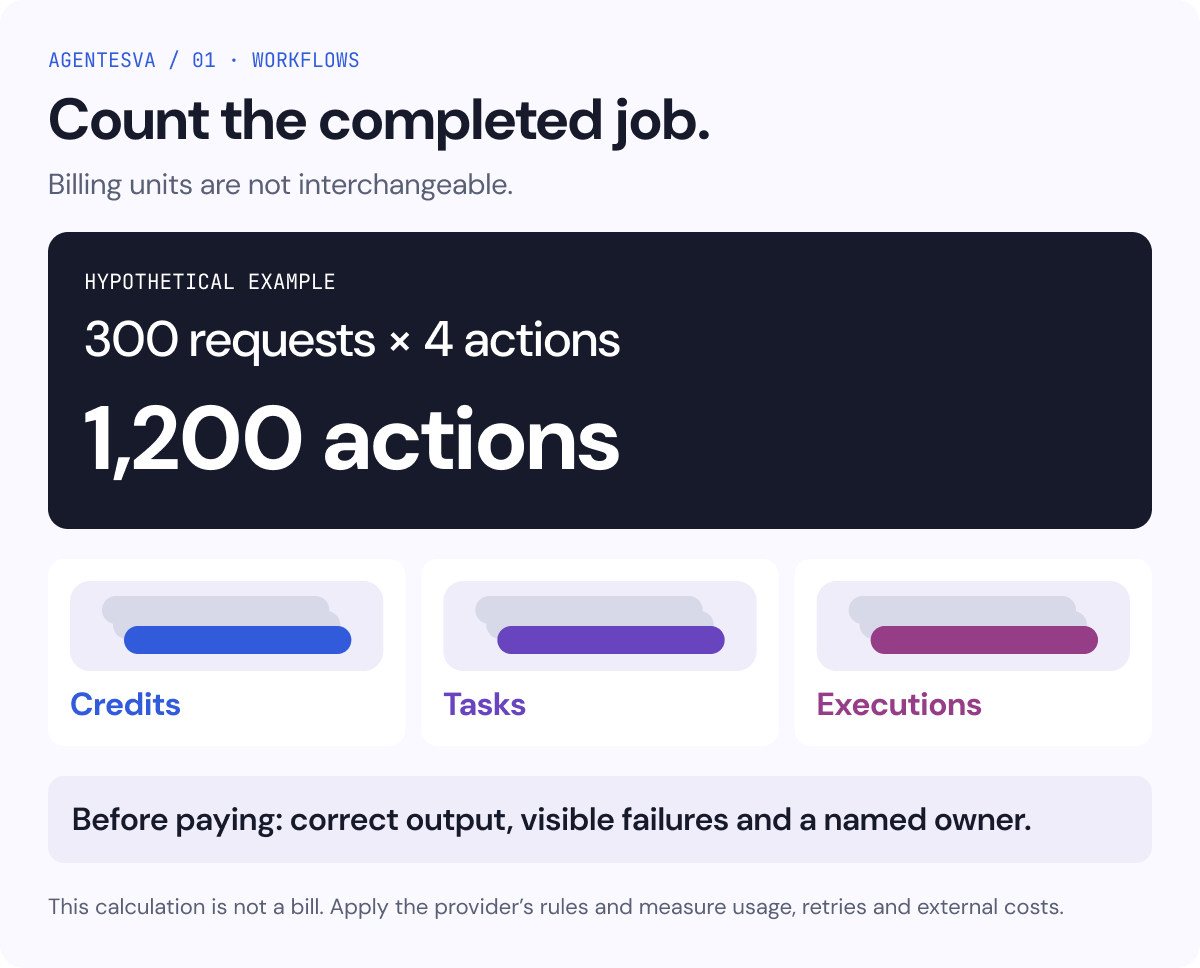
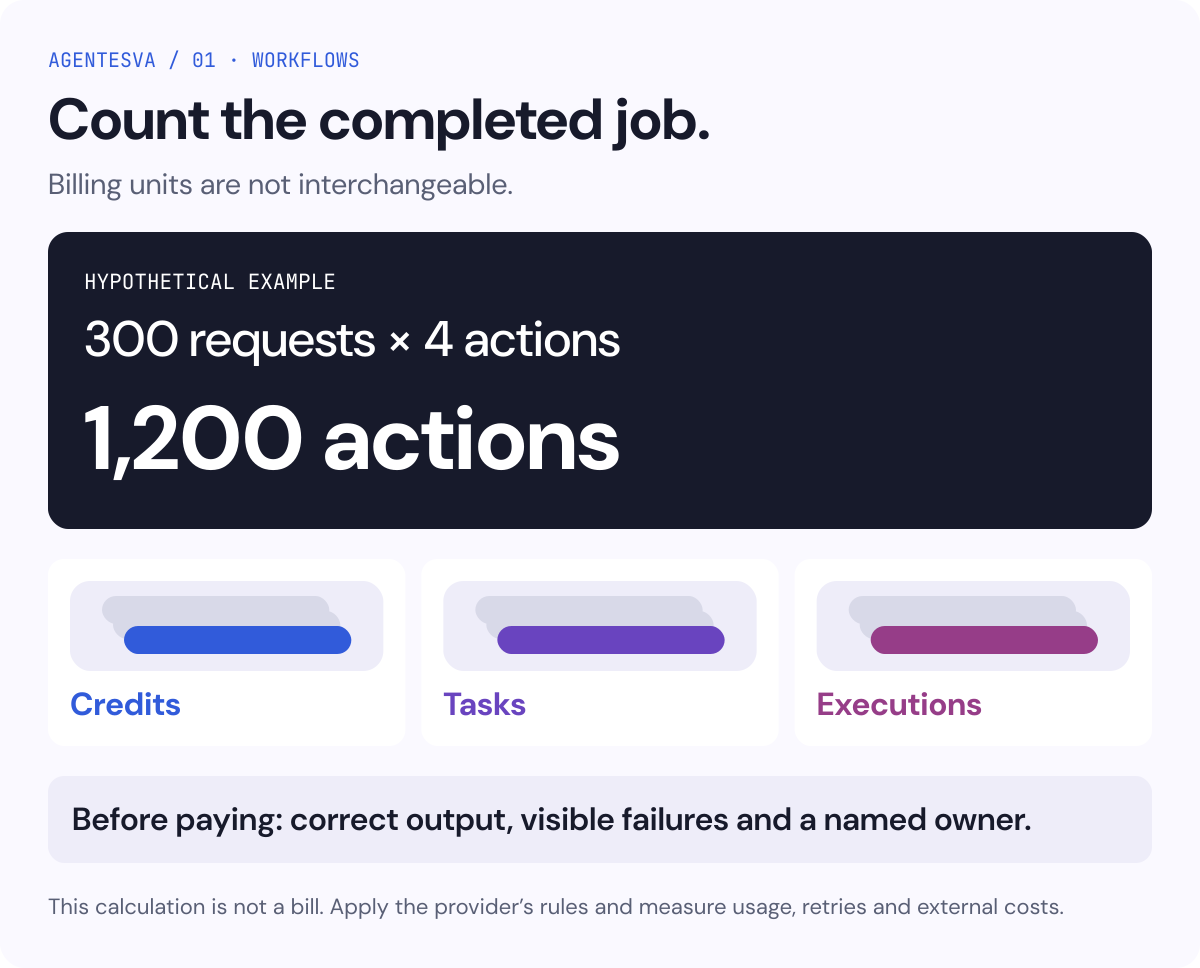
Hypothetical example: you receive 300 requests per month, each involving four simple billable actions. The starting point would be 1,200 actions, before other queries or repetitions. That does not automatically translate into 1,200 credits in every product: apply each provider’s rules and verify consumption with a sample.
Savings need a complete calculation too: previous manual time minus review, exception handling and maintenance. Multiplying minutes “saved” by inputs without measuring those other tasks can produce a misleading picture.
A proposed seven-day trial before committing
Open the detailed decision table
| Suggested stage | Work | Evidence for the decision |
|---|---|---|
| Preparation | Choose one task, input, output and owner | A valid example and its exceptions |
| Building | Create the smallest useful flow with authorized data | Output another person can review |
| Validation | Test duplicates, errors and missing information | Visible issues and controlled retries |
| Supervised use | Run a representative sample | Recorded time, consumption and corrections |
| Decision | Keep, simplify, pay or stop | Comparison with the previous process |
Seven days is a proposed way to organize the work, not a guarantee that every process can be validated in a week. An infrequent workflow or one with important exceptions needs more observation.
Frequently asked questions
Read the practical answers
Which should I choose with no budget?
First check the native feature in your application. If you need to connect several applications, try a free plan with a small job. Apps Script and self-hosted editions require time and knowledge: they are license options, not work without costs.
Do I need AI to automate?
Only when the task needs it. Copying a validated date or assigning work according to a rule can be done without a model. Adding AI introduces another output to review and sometimes another usage bill.
When should I ask for help?
When a flow depends on several people or systems, failures have meaningful consequences, or there is nobody able to maintain it. To explore your situation, you can start with the free AgentesVA assessment. Simplifying the process before commissioning implementation is also an option.
Final infographic: from volume to a bill
Keep these decisions in mind:
- Hypothetical count: 300 requests with four simple billable actions give a starting point of 1,200 actions, before retries or additional lookups.
- Different units: credits, tasks and executions are not interchangeable. Apply each provider’s rules to your connectors and actual workflow.
- Before paying: check correct output, visible failures and a named maintenance owner.
- Full cost: include review, retries and external services. This calculation explains volume; it is not a bill or a quote.